 Pocket Pilot
Help launch Pocket Pilot on Android
Pocket Pilot is live on iOS, and the Android version is ready. Before Google Play lets a new app launch publicly, it must pass a closed test: a group of testers enrolled continuously for 14 days. That’s where you come in. You study with the full app, free, and help us over the line.
- 14days of testing
- £0.00charged, ever
- ~3 mina day is enough
Send us your Google email
We add every tester to Google’s lists by hand: one list for the test itself, and one that makes the in-app unlock free. All we need is the email address your phone’s Play Store is signed in with (usually a Gmail address).
We’ll reply once you’re added. Give it a few hours after that: Google is slow to switch tester status on.
Join the test and install
Once you have our confirmation, open this link on your Android phone and accept the invitation:
play.google.com/apps/testing/app.getpocketpilotThen install Pocket Pilot from the Play Store page it takes you to. Two things to get right:
- Use the same Google account you sent us. If your phone has more than one, switch the Play Store to it before installing: the account that installs the app is the one Google unlocks purchases for.
- Open the app, pick your region, and allow the daily study reminder when it’s offered (it makes step four easy).
Unlock everything, for £0
Only the first subject is normally free, so the test build unlocks the rest through Google’s regular purchase screen. It looks real, but with tester status active, Google swaps your payment method for a test card and charges nothing. Open any locked subject to reach the unlock screen, then:
- 01 / 03
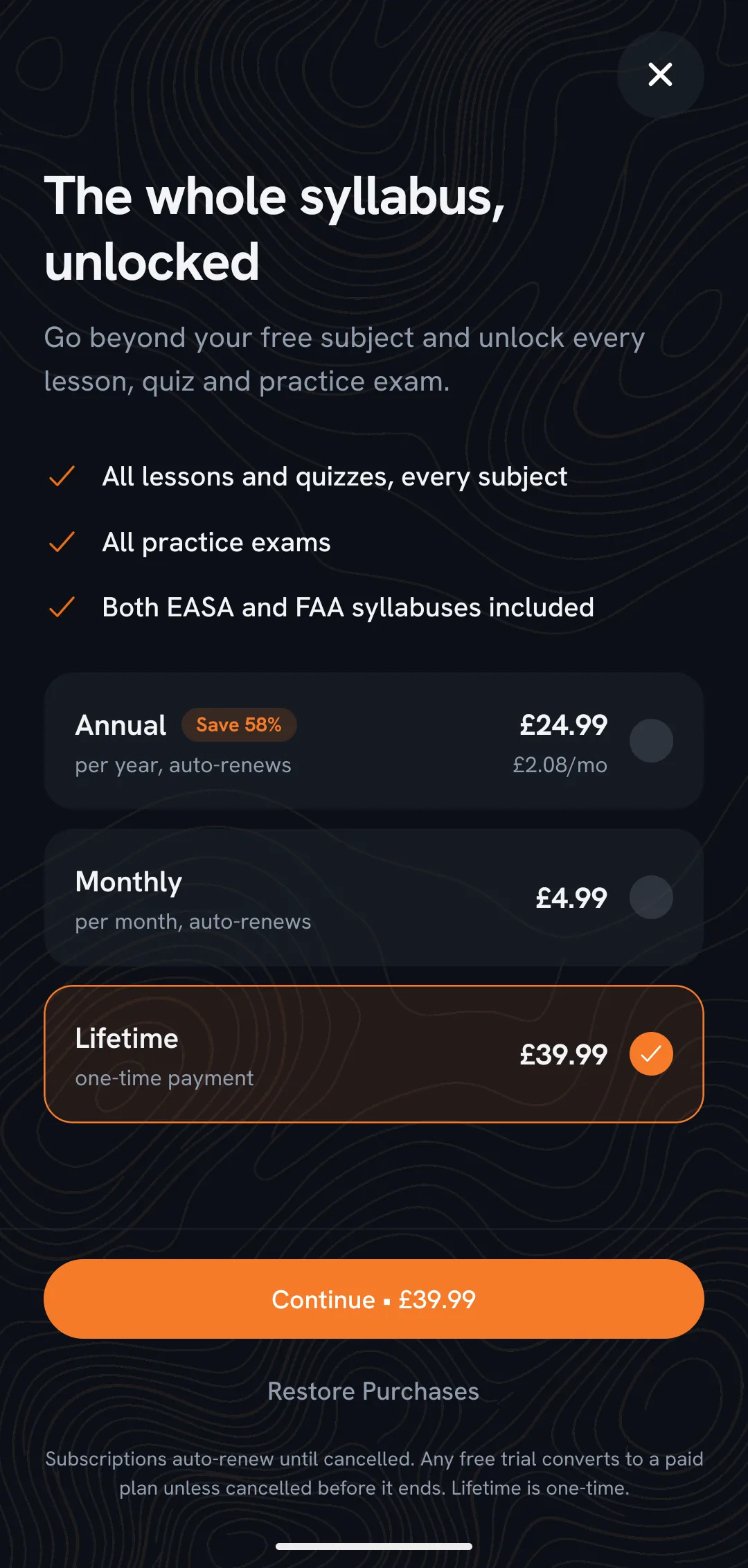
Pick Lifetime, then continue.
- 02 / 03
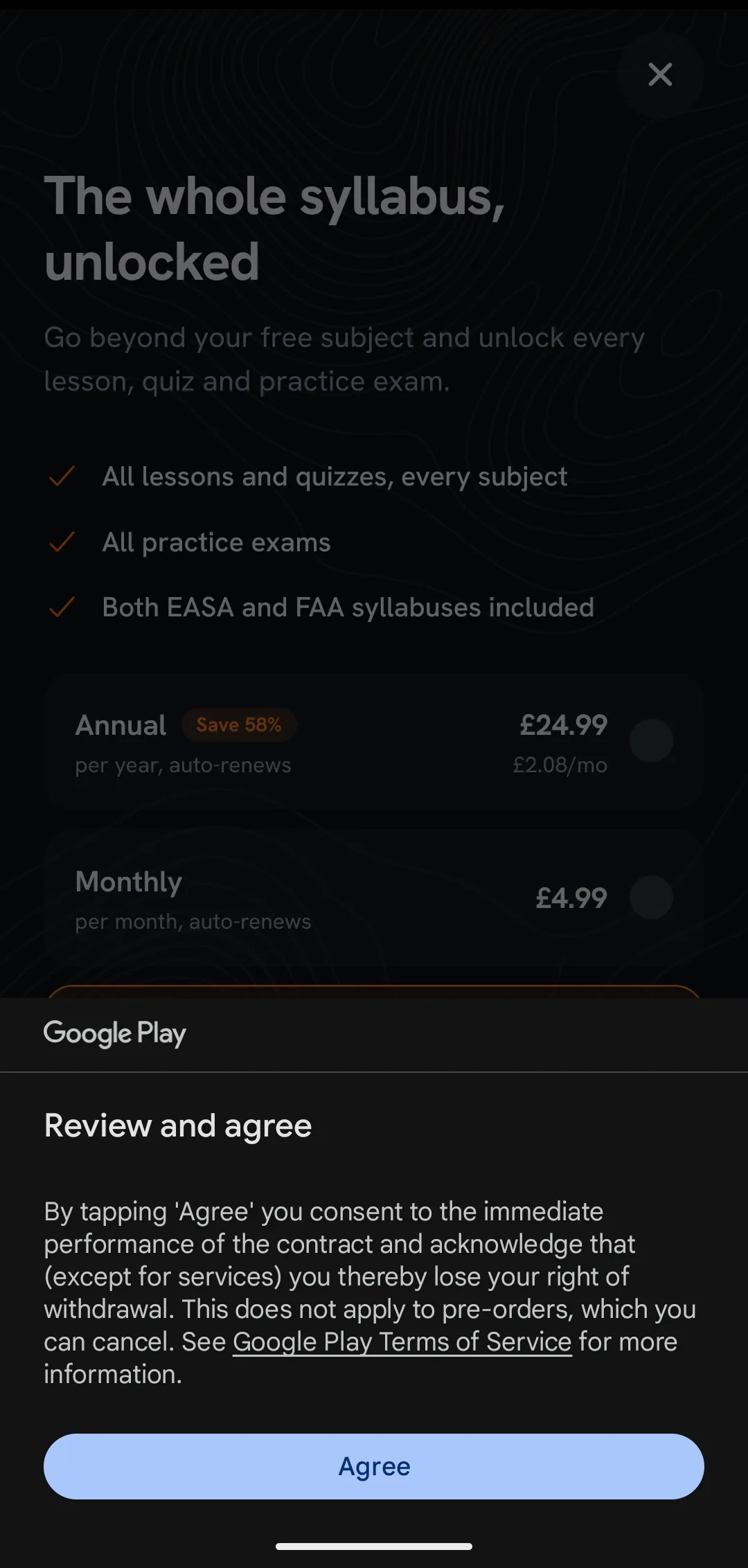
Google may ask you to review and agree first.
- 03 / 03
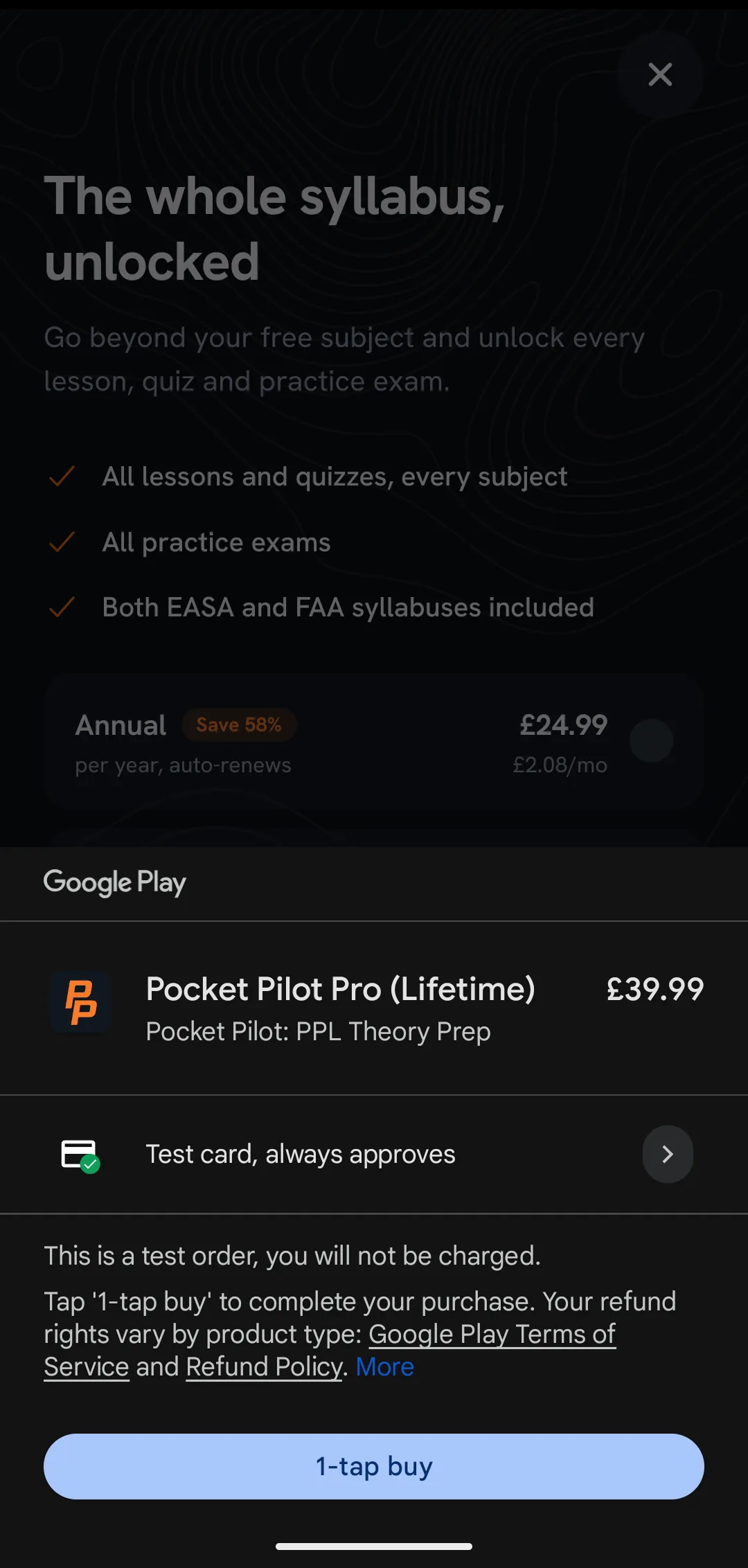
Check for the test card, then buy.
Pick Lifetime, not Monthly or Annual. In Google’s test mode the subscription plans expire after about half an hour, which would lock you back out mid-test. The Lifetime unlock lasts the whole window.
If you see your real card, stop
Before you confirm, the sheet must show “Test card, always approves” and the line “This is a test order, you will not be charged.” If your real card appears instead, your tester status hasn’t switched on yet. Close the sheet without buying anything and email us. We’ll get it sorted.
Study for the full 14 days
This is the actual favour. Google only counts the test once the whole group has been enrolled for 14 consecutive days. If the group dips below Google’s minimum, the clock restarts for everyone. So, for the whole window:
- Keep the app installed on your phone.
- Stay in the testing programme until we email the all-clear: don’t tap “leave the program” on the Play Store page.
- Open the app most days. The daily review takes about three minutes.
- It’s the real PPL syllabus, so if you’re studying for a licence anyway, make it count.
We’ll email you the moment the window closes.
Tell us what feels wrong
A bug, a typo, a confusing screen, something you expected that isn’t there: send it to getpocketpilot@gmail.com, screenshots welcome. Every report goes on the launch fix list.
And once we’re live on Google Play, every tester gets lifetime access to Pocket Pilot Pro, free. Our thanks for the two weeks.
Questions
- Will I actually be charged?
- No. Tester accounts get Google’s test card, the order sheet says “This is a test order, you will not be charged”, and the total is £0.00. If you ever see a real payment method instead, close the sheet and email us rather than buying.
- Do I need to be a student pilot?
- No. Any Android phone with Google Play works. But if you are working toward a PPL, even better: you get the full EASA, UK CAA or FAA syllabus free for the whole test.
- What’s the time commitment?
- About three minutes a day for 14 days: enough to open the app and clear the daily review. More is welcome if the studying is useful to you.
- What happens after the 14 days?
- We email the all-clear once Google signs the test off. Keep the app or uninstall it, as you like. When we launch publicly, the thank-you above lands on your account.